
Smart Home Automation: The Difference Between Schedules, Triggers, and Scenes
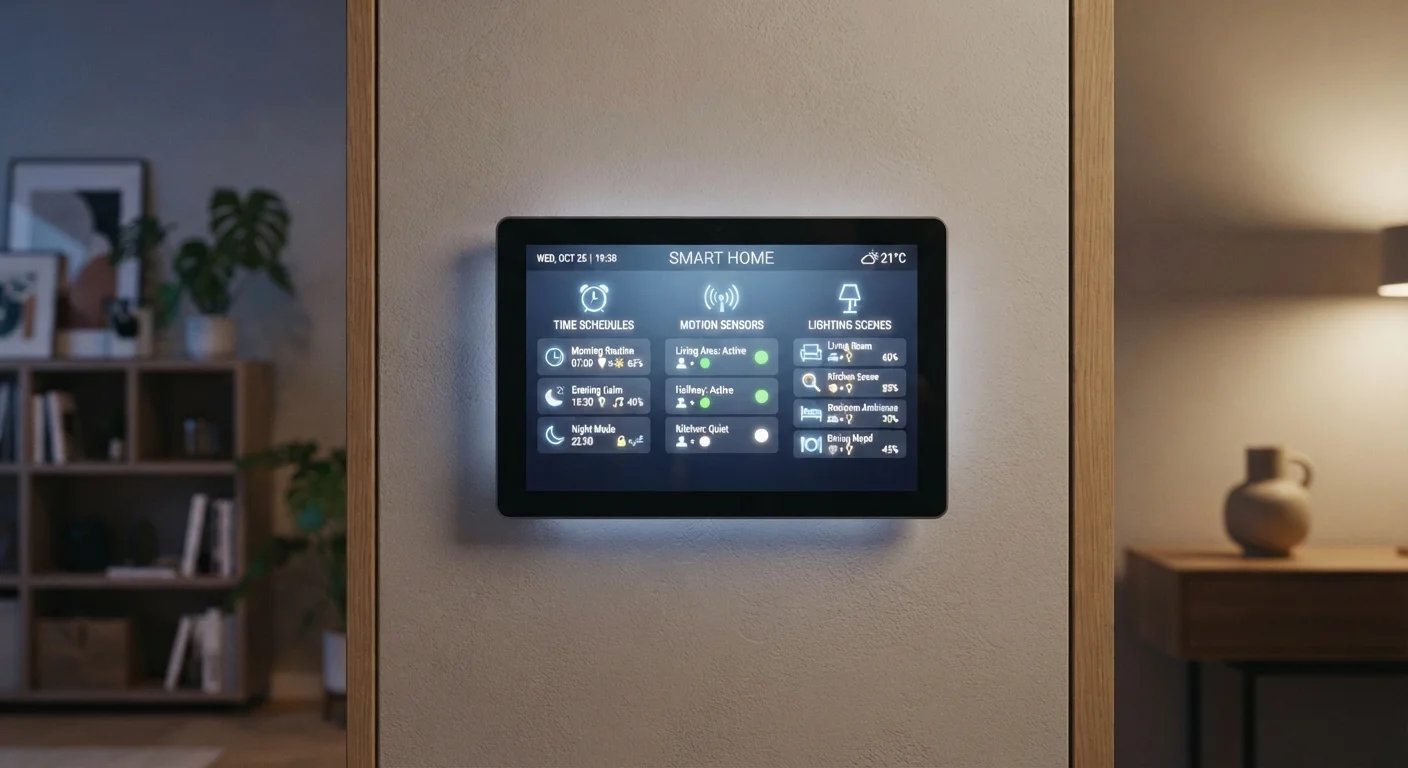
Photo credit: FindersGroove.com | Discover Important Information
In this article
Schedules, triggers, and scenes do different things in a smart home. Understanding each one helps you build automations that actually make life easier.
Why These Three Concepts Matter
If you've poked around a smart home app and felt confused by overlapping options - timed routines, "if/then" rules, activity groups - you're not alone. Most platforms use slightly different labels, but virtually every smart home system is built on the same three foundational ideas: schedules, triggers, and scenes. Knowing what each one actually does (and doesn't do) cuts setup time and prevents the most common beginner frustrations.
For a broader grounding in how smart devices communicate in the first place, see Smart Home Technology Explained. This article focuses specifically on the automation logic layer that sits on top of connected hardware.
| Schedule definition | Time-based: runs at a set clock time |
| Trigger definition | Event-based: runs when a condition is met |
| Scene definition | Multi-device state snapshot; activated by command |
| Can scenes run automatically? | Yes - when called by a schedule or trigger |
| Common trigger sources | Motion sensors, door contacts, geofencing, device states |
| Best starting point | Build 2-3 scenes; add one schedule and one trigger |
Schedules: Time-Based Automation
A schedule fires an action at a fixed time - full stop. You set it once, and the system repeats it without any additional input. Common examples include turning porch lights on at sunset, running a robot vacuum at 10 a.m. on weekdays, or lowering a thermostat at 11 p.m.
Schedules are the easiest automation to configure and the right tool when you want predictable, clock-driven behavior. Their limitation is equally clear: they don't respond to what's actually happening. A scheduled light turns on whether you're home or away, asleep or awake. If your routine varies, a schedule alone will start to feel dumb rather than smart.
Schedule
A time-based automation that triggers a device action at a fixed clock time or on a repeating calendar pattern, regardless of what else is happening in the home.
Trigger
An event-based rule that causes a device action when a specific condition is met - such as motion detected, a door opened, or a phone entering or leaving an area.
Scene
A saved snapshot of multiple device states that can be activated together in one command, letting you shift an entire room or home environment simultaneously.
Geofencing
A virtual geographic boundary tied to a mobile device's location. When the device crosses the boundary (arriving or leaving), it can trigger a smart home automation.
Automation
Any rule that causes smart home devices to act without manual input. Schedules and triggers are both types of automation; scenes are the states those automations often activate.
When to use a schedule: Recurring tasks tied to a consistent time of day - especially energy management (HVAC setbacks, water heater timing) and lighting that follows a predictable daily pattern.
Triggers: Event-Based Automation
A trigger (sometimes called a rule, automation, or "if/then" routine) fires an action in response to an event rather than a time. The event can come from a sensor, a device state change, a location signal, or even another automation. Examples: turn on the hallway light when a motion sensor detects movement; lock the front door when the last person's phone leaves the geofence; send a notification when a water sensor gets wet.
Triggers are where smart homes earn their name. They let your environment respond to context - presence, motion, temperature thresholds, door states - instead of running on a fixed clock. The trade-off is complexity: a poorly designed trigger chain can produce unexpected behavior, like lights turning on at 3 a.m. because a pet walked past a motion sensor.
Watch Out for Overlapping Triggers
When multiple triggers respond to the same sensor, they can conflict or stack in ways that produce unexpected results - like lights cycling on and off in rapid succession. Most apps let you set a cooldown period (sometimes called a "hold" or "delay") between trigger activations. Use it. Starting with one trigger per sensor makes troubleshooting much simpler before you add complexity.
When to use a trigger: Any situation where the "right" action depends on something happening, not on what time it is. Security lighting, arrival/departure routines, and leak alerts are classic trigger use cases. For a plain-language breakdown of terms like geofencing and sensors, the Smart Home Glossary is a reliable reference.
Scenes: Multi-Device Snapshots
A scene is a saved configuration that sets multiple devices to specific states simultaneously with a single command. A "Movie Night" scene might dim living room lights to 20%, turn off overhead fixtures, power on the TV, and set the thermostat two degrees cooler - all at once. Scenes don't run automatically on their own; they're activated by a voice command, a tap in an app, a physical button, a schedule, or a trigger.
That last point is worth emphasizing: scenes and automations work together. A schedule or trigger can activate a scene, which is how you get both context-sensitivity and coordinated multi-device control in the same routine. For example, a motion trigger at 6:30 a.m. could activate a "Good Morning" scene that adjusts lights, unlocks a smart lock, and starts a coffee maker simultaneously.
If you're building your first setup room by room, Your First Smart Home Roadmap shows how scenes slot naturally into a staged rollout. And if you're working with a voice assistant, understanding how each platform handles scene activation matters - Voice Assistants Compared covers those differences in detail.
~60%
Smart home owners use schedules as their primary automation type
According to Parks Associates consumer research on smart home usage patterns, time-based scheduling remains the most commonly configured automation feature.
3-5
Average number of scenes configured by active smart home users
Platform usage data from major smart home ecosystems suggests most households settle on a small set of core scenes covering daily mode transitions.
When to use a scene: Any moment that calls for a consistent "mode" across multiple devices - entertaining, sleeping, leaving home, waking up. Scenes are especially powerful when your household has several devices that need to shift together.
Putting It All Together
Think of the three tools as a hierarchy. Scenes define what your home should look like in a given moment. Triggers and schedules decide when and why a scene (or individual device action) gets activated. Most effective smart home setups combine all three: scenes handle the "what," schedules handle the "when it's predictable," and triggers handle the "when it depends on context."
A practical starting point: build two or three scenes that reflect your actual daily modes (morning, evening, away). Then layer one schedule and one trigger on top - nothing more. Complexity can grow from there once you've confirmed the basics work reliably. Smart Home Myths That Are Holding Beginners Back is worth a read if you've been hesitating over how complicated this all has to be - the short answer is: it doesn't.

Author
Tech & Gadgets Editorial Team
Tech & Gadgets Editorial Team is the collective byline for our editorial team and contributor network. Articles published under this byline or an editorial pen name are researched, written, and reviewed according to our editorial standards for clarity, consistency, and independence before publication.
View all articles →