
Your First Smart Home: A Room-by-Room Setup Roadmap
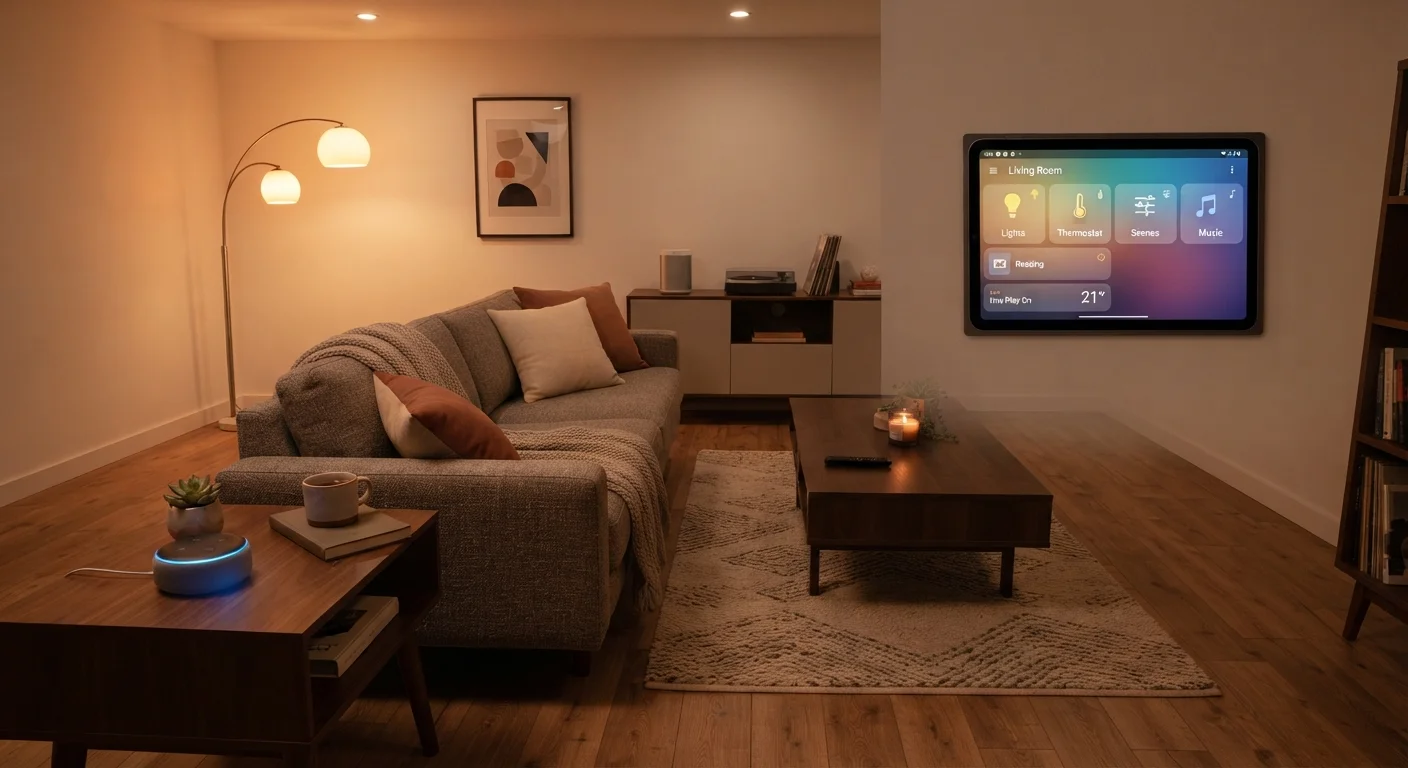
Photo credit: FindersGroove.com | Discover Important Information
In this article
Starting from zero? This beginner's roadmap walks through building a connected home one room at a time, without the overwhelm.
Key Takeaways
- Start with one room and one use case before expanding your smart home.
- A hub or ecosystem choice made early determines how easily devices work together.
- Smart lighting is consistently the most beginner-friendly and impactful first device category.
- Automations like schedules and triggers multiply the value of every device you own.
- Interoperability standards like Matter make it easier to mix devices across brands.
Start With a Strategy, Not a Shopping Cart
The single biggest mistake first-time smart home builders make is buying devices before deciding on a plan. You end up with three separate apps, two incompatible protocols, and a drawer full of gear that barely talks to each other. Before spending anything, answer two questions: What problem do I want to solve? and Which ecosystem will I build around?
Major ecosystems - centered on voice assistants or hub platforms - each have strengths. Some prioritize Apple device users; others are Android-first or hub-dependent. The ecosystem you pick shapes which devices will integrate smoothly for years to come. If you want to keep your options flexible from day one, look for devices that support the Matter standard, which is designed specifically to reduce brand lock-in. Setting up without locking into one ecosystem is a real possibility with a little upfront planning.
Also worth a quick read before you buy anything: common smart home myths - including the idea that you need to automate everything at once.
Ecosystem
A family of smart home devices and services built around a shared platform (such as a voice assistant or hub) that are designed to work together seamlessly.
Matter
An industry-wide interoperability standard that allows smart home devices from different manufacturers to communicate with each other, reducing brand lock-in.
Protocol
The communication language a smart device uses to connect - common examples include Wi-Fi, Zigbee, Z-Wave, and Thread. Devices must share a compatible protocol to work together.
Hub
A central device that connects and coordinates multiple smart home products, often enabling local control even when the internet is unavailable.
Automation
A pre-set rule that makes smart home devices act automatically - for example, turning lights on when a door sensor detects someone entering.
Smart Plug
An adapter that plugs into a standard outlet and gives any connected appliance remote on/off control and sometimes energy monitoring through an app.
Living Room: Your Smart Home's Command Center
The living room is the natural starting point. It's where most households spend concentrated time, and smart lighting here produces an immediately noticeable effect. Smart bulbs or light strips connected to your chosen ecosystem let you set schedules, adjust brightness without leaving the couch, and create different moods for movie nights versus mornings.
A voice assistant speaker placed centrally acts as your primary control interface - useful even before you have many devices, because it builds the habit of voice or app control. A smart plug on a lamp or fan is a $15-$25 way to add remote on/off capability to any existing appliance without replacing the device itself.
Start With Smart Lighting
If you're unsure where to begin, smart bulbs are the lowest-risk, highest-visibility entry point. They require no wiring, work with most ecosystems, and produce a noticeable quality-of-life improvement immediately. Starting here builds confidence with app control before you tackle more complex devices.
One habit worth building early: use a single app or dashboard to control everything, rather than opening manufacturer apps one at a time. Most ecosystems provide this once devices are paired correctly.
Kitchen and Bedroom: Practical Wins
In the kitchen, the highest-value additions are usually a smart plug (for the coffee maker - automatic brewing before you wake up is genuinely useful) and a compact smart display for hands-free timers, recipe guidance, and intercom-style communication with other rooms. Avoid over-investing in smart appliances early; full smart refrigerators and ovens add significant cost with modest practical returns for most users.
The bedroom benefits most from automated lighting and a simple wake routine. A smart bulb set to gradually brighten before your alarm uses light exposure to make waking feel less abrupt - a feature many users report sticking with long-term. Smart plugs on charging stations can cut standby power draw overnight. Keep bedroom automations simple: a single good-morning routine that dims lights at bedtime and brightens them at wake time covers most of what you'll actually use.
Entry Points and Security Basics
Doors, windows, and the front porch are where smart home technology intersects with security. Video doorbells (Wi-Fi connected, with motion detection and two-way audio) are among the most popular first security additions - they work as standalone devices with their own app even if the rest of your setup is minimal.
A smart lock on the front door lets you grant access remotely, check whether it's locked without going downstairs, and set auto-lock timers. Compatibility matters here: confirm any smart lock you consider supports your hub or ecosystem before purchasing. Motion sensors near entry points can trigger lights or notifications and are inexpensive enough to add to multiple locations.
Renters: Check Before You Install
Some smart home devices - particularly video doorbells that replace existing wired units and smart locks that require removing existing hardware - may conflict with rental lease terms. Always review your lease or ask your landlord before making any changes to locks, wiring, or fixtures. Many manufacturers offer renter-friendly installation options that avoid permanent modifications.
If you rent rather than own, check your lease before installing any device that requires permanent wiring changes or drilling. Many smart locks and doorbells have renter-friendly versions that work with existing hardware.
Connecting It All: Automation Fundamentals
Individual smart devices are useful. Devices that respond to each other are transformative. Automations - rules that trigger actions based on time, location, or sensor input - are what turn a collection of gadgets into an actual smart home. Understanding the difference between a schedule (run at a set time), a trigger (run when something happens), and a scene (activate multiple devices at once) helps you build routines that actually reduce friction in your day. Our explainer on schedules, triggers, and scenes breaks down each one practically.
For terminology you'll encounter along the way - from geofencing to latency to mesh networking - bookmark the complete smart home glossary. And when you're ready to centralize control, setting up your first hub is the logical next step after your room-by-room foundation is in place.
Build incrementally. Each device you add should solve a real friction point in your daily routine - not just add to a device count. That mindset is what separates a smart home that's genuinely useful from one that's just expensive to maintain.
Frequently Asked Questions

Author
Tech & Gadgets Editorial Team
Tech & Gadgets Editorial Team is the collective byline for our editorial team and contributor network. Articles published under this byline or an editorial pen name are researched, written, and reviewed according to our editorial standards for clarity, consistency, and independence before publication.
View all articles →