
Wi-Fi, Zigbee, Z-Wave, and Thread: The Wireless Protocols Behind Smart Devices
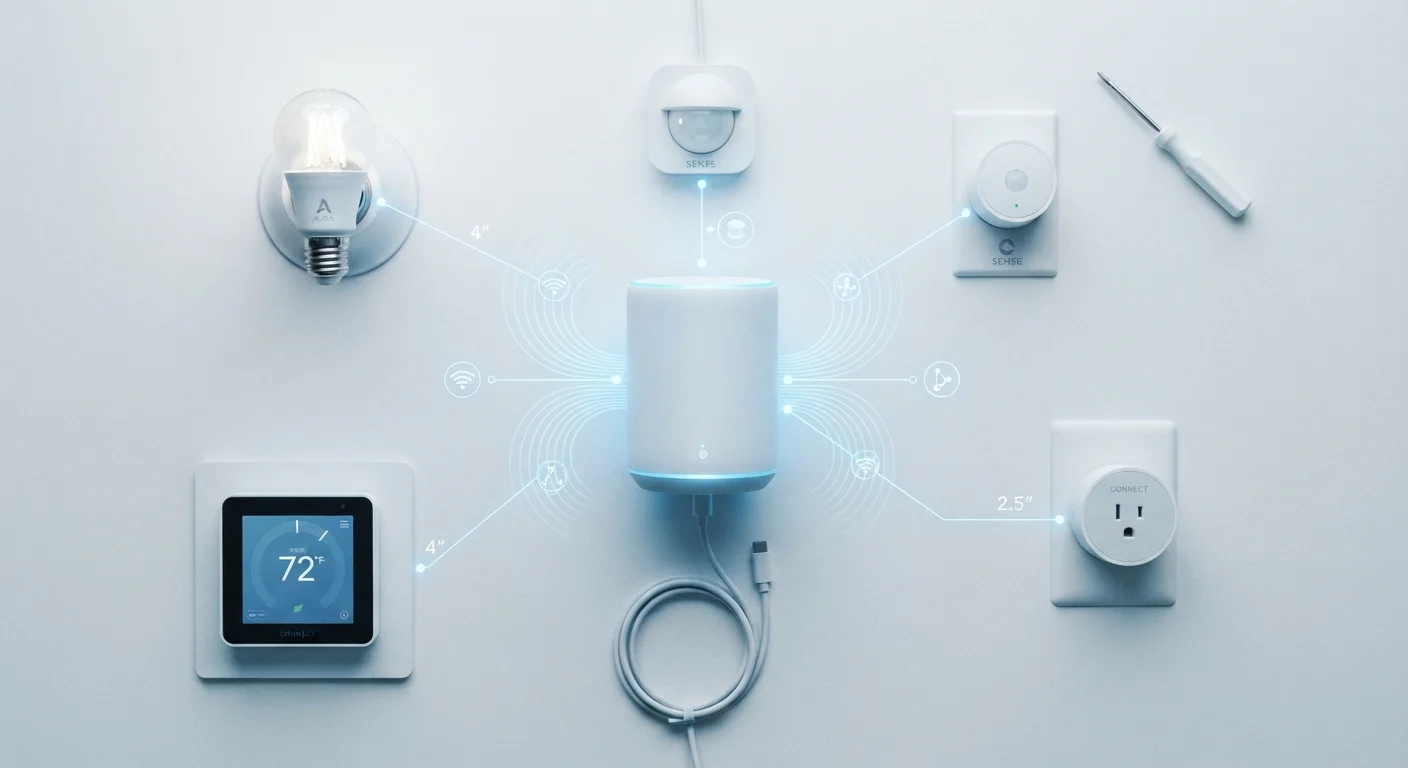
Photo credit: FindersGroove.com | Discover Important Information
In this article
Learn what connects your smart devices — and why the protocol choice affects range, reliability, and compatibility in your home.
Key Takeaways
- Wi-Fi connects devices directly to your router but drains battery faster than other protocols.
- Zigbee and Z-Wave form mesh networks, letting devices relay signals and extend coverage.
- Z-Wave uses a dedicated frequency that avoids Wi-Fi interference; Zigbee shares the crowded 2.4 GHz band.
- Thread is a newer mesh protocol designed for low power use and built-in internet routing.
- Matter is a compatibility standard that runs on top of Thread, Wi-Fi, and Ethernet - not a protocol itself.
- Your router settings can significantly affect how well Wi-Fi-based smart devices perform.
Why the Protocol Matters More Than the Device
Most people pick a smart bulb or thermostat based on looks, price, or app reviews - and then discover too late that it doesn't work reliably with anything else they own. The reason usually comes down to the wireless protocol underneath. The protocol determines how a device finds and joins your network, how far its signal travels, whether it needs a dedicated hub, and whether it can talk to devices from other brands.
Understanding the four dominant protocols - Wi-Fi, Zigbee, Z-Wave, and Thread - doesn't require an engineering degree. It requires knowing a handful of key trade-offs. See our overview of how smart home technology works for the broader picture of how devices connect and communicate.
2.4 GHz
Shared frequency band for Zigbee and Wi-Fi
Both protocols operate on the same radio frequency, which can cause interference in densely connected homes - a documented consideration in smart home network planning.
~232
Maximum devices per Z-Wave network
Z-Wave networks support up to 232 devices per controller, which is sufficient for most households but lower than Zigbee's theoretical device ceiling.
908 MHz
Z-Wave operating frequency in the US
Z-Wave's sub-GHz frequency is dedicated to smart home use in the US market, keeping it separate from crowded Wi-Fi and Bluetooth bands.
Wi-Fi: Familiar But Power-Hungry
Wi-Fi smart devices connect directly to your home router - no hub required. That simplicity is the main appeal. Plug in a smart plug or camera, open an app, and it's usually working within minutes. The trade-off is power consumption: Wi-Fi radios draw significantly more energy than the alternatives, which is why battery-powered Wi-Fi sensors tend to drain quickly.
Wi-Fi also adds to network congestion, particularly on the 2.4 GHz band that older and budget smart devices favor. If you have dozens of Wi-Fi devices alongside streaming boxes, phones, and laptops, performance can degrade. Your router's admin settings - band steering, QoS, and channel selection - can help manage this load.
Best suited for: Plugged-in devices where power draw is irrelevant, such as smart displays, cameras, and plugs.
Zigbee and Z-Wave: Mesh Networks Built for Smart Homes
Both Zigbee and Z-Wave were designed specifically for smart home applications, and both use a mesh network topology. In a mesh, each device acts as a relay, passing signals from one node to the next. Add more devices and the network becomes more robust, not weaker.
The key difference is frequency. Z-Wave operates on a dedicated sub-GHz band (around 908 MHz in the US) that avoids the crowded 2.4 GHz space entirely, making it less prone to interference from Wi-Fi routers and microwaves. Zigbee runs on 2.4 GHz, sharing spectrum with Wi-Fi and Bluetooth - though in practice, interference is usually manageable with good channel selection.
Both protocols require a compatible hub or controller to function. That's an extra upfront consideration, but it also means your smart home traffic stays off your main Wi-Fi network. Zigbee supports more devices per network than Z-Wave, while Z-Wave has historically enforced stricter certification requirements that can improve interoperability between brands.
Thread: The Newer Protocol Built for What's Next
Thread is a low-power mesh protocol developed by a group of major technology companies and ratified as an open standard. Like Zigbee and Z-Wave, it forms a mesh network and is designed for battery-operated sensors and smart devices. Unlike those protocols, Thread is IP-based - meaning each device gets a proper network address and can communicate natively over the internet without relying on a proprietary hub to translate.
Thread's biggest moment came with the launch of the Matter standard. Matter is a compatibility layer - a shared language that allows devices from different brands to work together. It runs over Thread, Wi-Fi, or Ethernet. A Thread-based Matter device can, in principle, work equally well with different smart home platforms without being locked to one ecosystem.
Check for Matter Certification Before You Buy
If long-term compatibility matters to you, look for the Matter logo on packaging or in product specs before purchasing a Thread-based device. Matter certification means the device has been tested to work across supported platforms, reducing the risk of ecosystem lock-in. This is especially worth checking for higher-investment items like thermostats and door locks.
Thread border routers - devices that connect the Thread mesh to your broader network - are now built into several smart home hubs and speakers, making Thread more accessible than it was in its early days.
Choosing the Right Protocol for Your Setup
There's no single correct answer - the right protocol depends on what you're trying to do. A few practical principles help clarify the decision:
- If you want zero extra hardware: Wi-Fi devices are the most plug-and-play, though they work best for always-plugged-in devices.
- If you have a large home or many devices: A Zigbee or Z-Wave mesh will be more reliable than relying on Wi-Fi reach alone.
- If you're starting fresh and want long-term flexibility: Thread and Matter offer the most forward-looking compatibility, especially as more platforms adopt the standard.
- If reliability is paramount: Z-Wave's dedicated frequency and certification requirements have historically made it a consistent performer for locks, sensors, and safety devices.
Reliability issues often trace back to protocol mismatches or network overload. If devices are dropping connections, the causes are usually fixable once you understand what's underneath. And whatever protocol you run, see our guide to smart home network security to make sure your connected devices aren't introducing unnecessary risk.
Frequently Asked Questions

Author
Tech & Gadgets Editorial Team
Tech & Gadgets Editorial Team is the collective byline for our editorial team and contributor network. Articles published under this byline or an editorial pen name are researched, written, and reviewed according to our editorial standards for clarity, consistency, and independence before publication.
View all articles →