
USB Standards Decoded: From USB-A to Thunderbolt
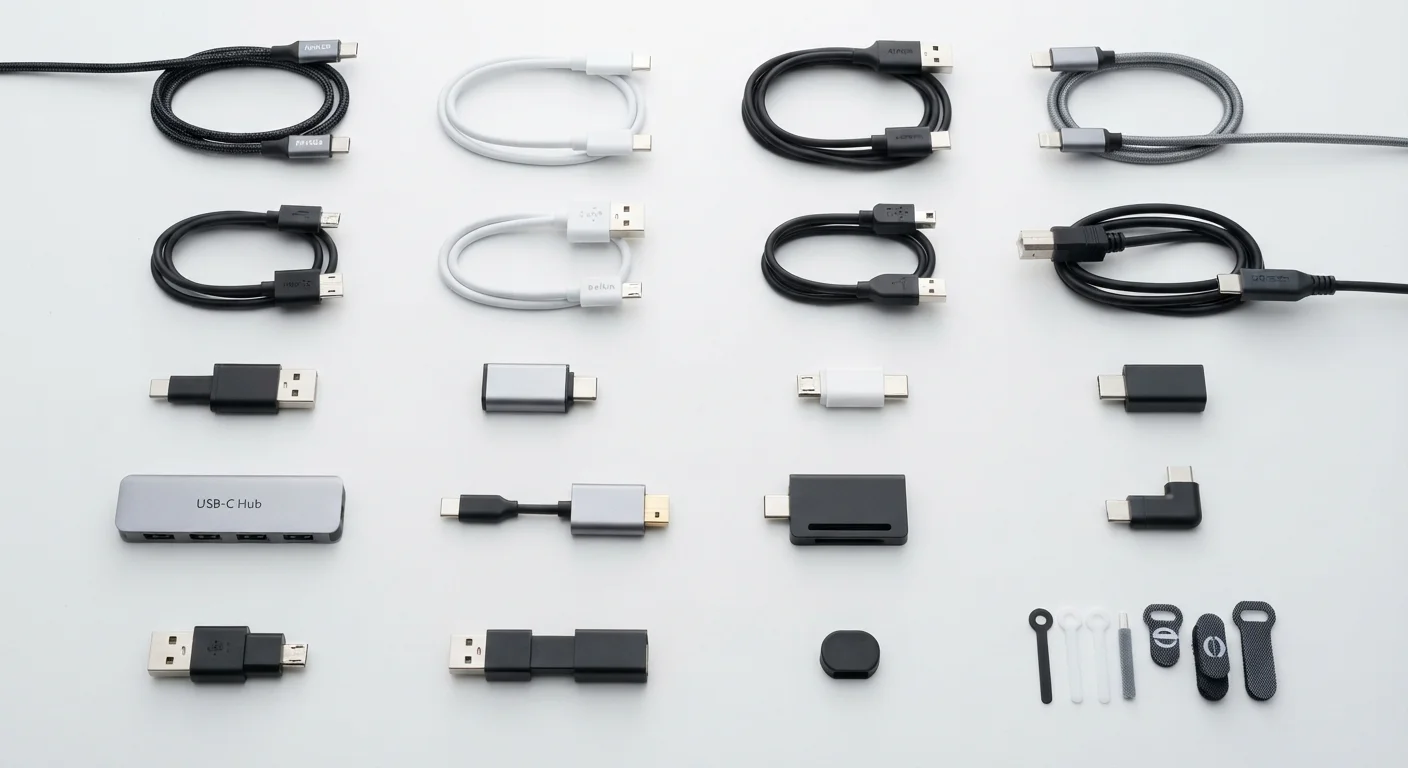
Photo credit: FindersGroove.com | Discover Important Information
In this article
USB-C isn't one thing — speeds, power delivery, and protocols vary wildly. A clear reference guide to every major connector and standard in use today.
Why USB Is More Confusing Than It Looks
Plug a USB-C cable into your laptop and it might charge at 100W, transfer files at 40 Gbps, or output 4K video - or it might do none of those things. The connector shape tells you almost nothing about what the cable or port actually supports. That gap between expectation and reality is where most USB frustration lives.
USB (Universal Serial Bus) was designed to simplify device connectivity, but decades of evolving standards layered on top of the same physical connectors have made it genuinely difficult to decode. This guide cuts through the naming chaos so you can look at a port, a cable, or a spec sheet and know exactly what you're working with.
| Current flagship USB standard | USB4 Gen 3×2 (40 Gbps) (USB Implementers Forum (USB-IF)) |
| Max charging wattage (USB PD 3.1) | 240W (USB-IF specification, 2021) |
| Thunderbolt 5 max data speed | Up to 120 Gbps (Bandwidth Boost) (Intel Thunderbolt 5 specification) |
| Connector required for USB4 and Thunderbolt | USB-C only (USB-IF and Intel specifications) |
| USB 2.0 max speed | 480 Mbps (USB-IF) |
| Thunderbolt port identifier | Lightning bolt (⚡) icon next to the port |
Connector Types: What the Shape Tells You
The physical connector shape is the first layer. Here are the major ones still in active use:
- USB-A: The rectangular plug that's been on virtually every PC since the late 1990s. Ubiquitous but one-sided - you can only insert it one way (usually the wrong way on the first try).
- USB-B: The square-ish plug found on older printers and some audio interfaces. Rare on newer devices.
- Micro-USB: The small trapezoidal connector that dominated Android phones through the mid-2010s. Still found on budget accessories and some IoT devices.
- USB-C: The oval, reversible connector now standard on phones, laptops, tablets, and peripherals. The shape alone doesn't define speed or power - the underlying protocol does.
- Lightning: Apple's proprietary connector used on older iPhones and some accessories. Being phased out in favor of USB-C under EU regulation and Apple's own product roadmap.
USB Power Delivery (USB PD)
A USB protocol that allows devices to negotiate higher voltage and wattage over a USB-C connection. Without PD, USB-C ports default to a much lower charging rate.
Gbps
Gigabits per second - a unit measuring data transfer speed. 1 Gbps equals 1,000 Mbps. Real-world speeds are typically 60-80% of rated maximums due to overhead.
Thunderbolt
A high-speed interface developed by Intel (with Apple) that uses the USB-C connector but runs a proprietary protocol enabling faster data transfer, daisy-chaining, and video output beyond standard USB capabilities.
USB4
The latest major USB standard (note: no space between 'USB' and '4'), requiring the USB-C connector and incorporating Thunderbolt 3 compatibility. It unifies several previously fragmented protocols.
PCIe Tunneling
A feature in Thunderbolt and USB4 that allows external devices - like GPUs or fast storage - to communicate using the PCIe protocol over a USB-C cable, as if directly connected to the motherboard.
Bandwidth Boost
A Thunderbolt 5 feature that dynamically allocates up to 120 Gbps toward display output when data transfer demand is low, enabling very high-resolution or high-refresh-rate monitors.
USB Generations: Speed and Power by Version
The real capability of a USB connection comes from its generation, not its shape. Marketing names have changed repeatedly, which adds to the confusion. Here's a plain-English breakdown:
| Official Name | Old Marketing Name | Max Data Speed | Max Power (typical) |
|---|---|---|---|
| USB 2.0 | Hi-Speed USB | 480 Mbps | 2.5W |
| USB 3.2 Gen 1 | USB 3.0 / USB 3.1 Gen 1 | 5 Gbps | 4.5W |
| USB 3.2 Gen 2 | USB 3.1 Gen 2 | 10 Gbps | 4.5W |
| USB 3.2 Gen 2×2 | SuperSpeed USB 20Gbps | 20 Gbps | 4.5W (more with PD) |
| USB4 Gen 2×2 | - | 20 Gbps | Up to 240W (with PD 3.1) |
| USB4 Gen 3×2 | - | 40 Gbps | Up to 240W (with PD 3.1) |
USB Power Delivery (USB PD) is a separate protocol that runs alongside data transfer. A USB-C port that supports USB PD 3.1 can negotiate up to 240W - enough to charge a high-performance laptop. A port without PD support may top out at 5W even with a USB-C connector.
Cable Quality Matters More Than You Think
A USB-C cable that ships with a budget charger may only support USB 2.0 speeds and 5W charging - even though it physically fits any USB-C port. For fast charging or high-speed transfers, look for cables that are explicitly rated for USB PD, USB 3.2 Gen 2, or Thunderbolt 4/5. Certified cables from reputable manufacturers display these ratings on their packaging or product pages.
Thunderbolt: USB-C's High-Performance Cousin
Thunderbolt ports use the USB-C connector but run Intel's proprietary Thunderbolt protocol underneath. The physical port looks identical to a standard USB-C port - look for a small lightning bolt icon to tell them apart.
- Thunderbolt 3: 40 Gbps data, supports two 4K displays or one 5K display, up to 100W charging. Backward compatible with USB 3.1.
- Thunderbolt 4: Same 40 Gbps ceiling as TB3 but with stricter minimum requirements - mandatory support for two 4K displays, PCIe tunneling, and USB4 compliance. More consistent across devices.
- Thunderbolt 5: Up to 120 Gbps (with Bandwidth Boost mode for display-heavy tasks), 240W charging support, and improved DisplayPort 2.1 capability.
Thunderbolt cables are backward compatible with USB-C devices, but a standard USB-C cable will not unlock Thunderbolt speeds on a Thunderbolt port. Always check cable certification when performance matters.
40 Gbps
Thunderbolt 4 maximum data bandwidth
Per Intel's Thunderbolt 4 specification - enough to saturate a fast NVMe external SSD in real-world use.
240W
Peak USB Power Delivery (PD 3.1) charging
Introduced in the USB PD 3.1 specification (2021), enabling USB-C to charge high-wattage laptops and workstations.
USB-C
Mandated connector for new EU devices
EU regulations phasing in USB-C as a common charging standard across phones, tablets, and laptops sold in the region.

Author
Tech & Gadgets Editorial Team
Tech & Gadgets Editorial Team is the collective byline for our editorial team and contributor network. Articles published under this byline or an editorial pen name are researched, written, and reviewed according to our editorial standards for clarity, consistency, and independence before publication.
View all articles →